


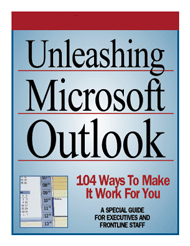


Special Executive Report
Unleashing Microsoft Outlook: 104 Ways To Make It Work For You
Fed up with an out of control inbox? Ever sent an email you wish you could take back? Or, maybe you're in need of a more efficient way to manage your calendar or task list. Most Microsoft Outlook users have no idea they already have the power to fix these problems at their fingertips. And that's just a fraction of what Outlook can do to help you and your employees become more organized and efficient. To find out how, read the executive report:
| The Solution: | "Unleashing Microsoft Outlook: 104 Ways To Make It Work For You" |
Microsoft Outlook Training for your entire staff in 30 minutes:
- Keep your inbox uncluttered for good: Creating rules and filters
- Tip # 95: Turn an e-mail message into a task
- Personalize Outlook: Get easy access to your most used features
- Tip #103: Create notes from other programs without toggling back and forth
Jammed with untapped Microsoft Outlook features, shortcuts and tips, this fast-read executive report delivers actionable ways everyone can use today to become more proficient in Outlook and a more productive employee.
Minimize time-wasters and increase overall productivity:
- Overlooked ways to organize workday with Outlook
- Using Outlook as the ultimate contact manager
- Quick mailbox cleanup without a huge manual undertaking
- Improve the flow of information between employees and departments
"Unleashing Microsoft Outlook: 104 Ways To Make It Work For You" is a clear, no-jargon guide employees at every level can use to strengthen Outlook skills, manage their work day and communicate more effectively.
Shortcuts and tips to become an Outlook power user:
- Know which features of Outlook are important and what to ignore
- Choose what opens first in Outlook to save time from the start
- Quickly navigate endless Outlook features to make your work-life easier
- Give this valuable training guide to your entire staff